How to Make an AI Coloring Book for Amazon KDP (2026 Guide)
Disclosure: Some links in this post are affiliate links. If you buy through them, we may earn a commission at no extra cost to you. Learn more.
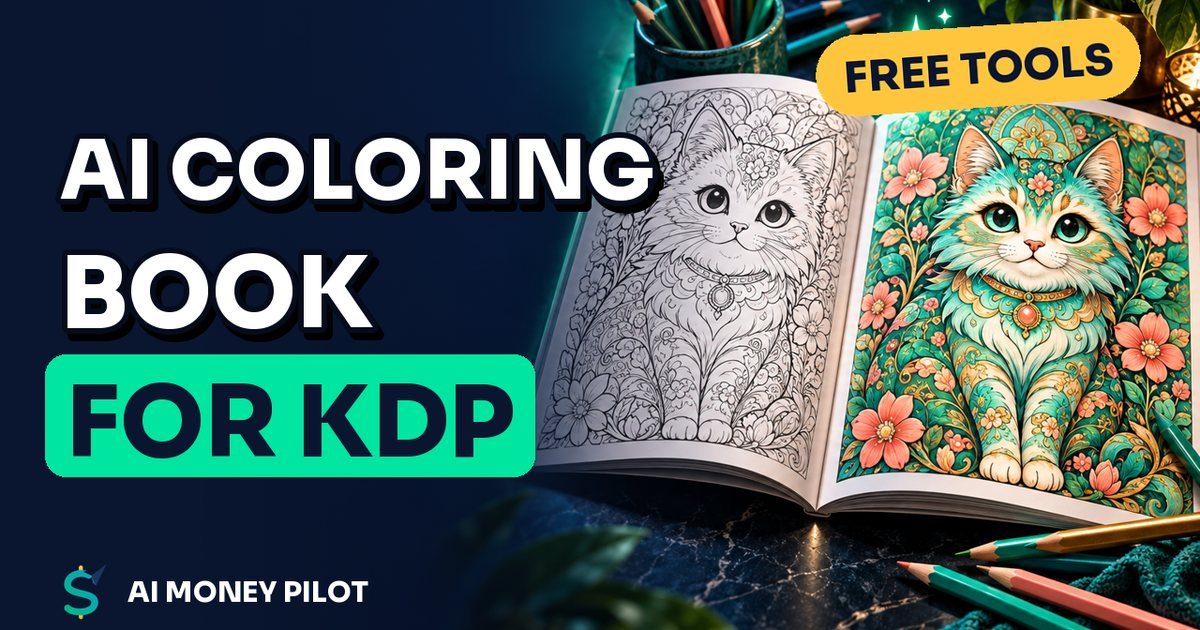
An AI coloring book for KDP is a paperback you make by asking an AI image tool for black-and-white line art, laying the pages out at a standard print size, and publishing it through Amazon Kindle Direct Publishing (KDP). Amazon prints each copy when someone orders it, so you don't buy stock up front.
It sounds easy, and that's the catch: thousands of people had the same idea. This guide is the honest version. It covers what KDP's rules actually say about AI, the print settings that cause most rejections, and the quality checks that make a book worth buying. Every policy and number below links to the official KDP page we checked.
What KDP's rules say about AI coloring books
KDP allows AI-generated content, but you have to tell Amazon about it. Its content guidelines ask you to disclose AI-generated content (text, images or translations) when you publish a new book or edit and republish an existing one. Interior images and covers both count.
KDP draws a line between two kinds of help:
- AI-generated: the AI tool created the actual content. KDP says this applies "even if you applied substantial edits afterwards." If an AI drew your coloring pages, they are AI-generated, and you must disclose it.
- AI-assisted: you created the content and used AI to edit, refine or error-check it. You don't have to disclose this.
Bottom line: if an AI tool drew your pages, answer "yes" to the AI-generated question during setup. It doesn't block publishing, and answering honestly protects your account.
The same guidelines ban content that infringes someone else's rights. In practice: no cartoon characters, brands or logos you don't own, and no art "in the style of" a living illustrator that copies their work.
The 2026 title limit changes your strategy
KDP now limits how many new titles you can create. Its Create a Book help page says you can submit up to 2 new titles per book format each week. The KDP Community update says the limit started on Monday, September 21, 2026 and resets every Sunday at 12:00 AM UTC.
That kills the old "upload 20 low-effort books a week" approach. With two paperback slots a week, every book has to earn its place. Fewer, better books with a clear audience is now the only plan that makes sense.
Step 1: Pick a niche people actually search for
Start with the buyer. A coloring book is usually a gift or a calm hobby, so think about who it's for and what they love:
- Kids by age: "dinosaur coloring book for kids ages 4-8," "unicorn coloring book for girls."
- Adults by theme: cozy cats, mandalas, botanical patterns, ocean life, cottagecore houses.
- Occasions: Christmas, Halloween, Mother's Day, back to school.
Type your idea into the Amazon search bar and read the suggestions. They show phrases real shoppers type. Then open the top results and look at page counts, prices and the one- and two-star reviews. Complaints like "lines too thin," "same picture repeated" and "bleeds through the paper" are a free checklist of what to do better.
Choose something specific enough that you can make a book that clearly fits it, like "cozy cats in a bakery" rather than just "cats."
Step 2: Generate clean line art with AI
Your pages need to be pure black lines on a white background, with no gray shading and no tiny details that kids can't color. Most AI image tools can do this if you ask clearly. A prompt pattern that works across tools:
Coloring book page for kids ages 4-8, [subject], thick clean black outlines,
simple shapes, no shading, no gray, no color, white background, centered,
full body, plenty of empty space to color
For adults, swap "for kids" for "for adults, detailed but clear outlines" and name the style, such as mandala, zentangle or botanical.
Tips that save hours:
- Generate more than you need. Plan on keeping about half. Throw out pages with broken lines, extra fingers, garbled text or details that merge into black blobs.
- Keep one style per book. Reuse the same prompt and only change the subject so the pages look like a set.
- Check the tool's license. Make sure the AI tool's terms let you use its images in products you sell. This differs between tools and plans.
- Upscale and clean up. KDP asks for images of at least 300 DPI. For an 8.5 x 11 inch page, that's about 2550 x 3300 pixels. Upscale small images, and fix stray marks in a free editor.
Free options include the image tools built into Canva and the image generation in free AI assistants. Limits and terms change often, so check the current free allowance in each tool.
Step 3: Lay out the interior at the right size
The most common coloring book size is 8.5 x 11 inches. KDP's paperback guidelines list it with a 24 to 590 page range for black ink on white paper, and the minimum for any paperback is 24 pages.
Margins and bleed (where most rejections happen)
Coloring pages normally sit on a white background, so the simplest choice is no bleed. Just keep every line inside the margins. KDP's minimums for books of 24 to 150 pages:
| Setting | Minimum (24–150 pages) |
|---|---|
| Inside (gutter) margin | 0.375 in (9.6 mm) |
| Outside margins, no bleed | 0.25 in (6.4 mm) |
| Outside margins, with bleed | 0.375 in (9.6 mm) |
Leave more room than the minimum, around half an inch on all sides, so nothing gets trimmed.
If you want artwork or a background that runs to the edge of the page, choose bleed. KDP trims 0.125 inch from the top, bottom and outside edge, so an 8.5 x 11 book with bleed needs pages sized 8.625 x 11.25 inches.
Single-sided pages
KDP prints on both sides of the paper. Many coloring book makers put a blank page behind each design so markers don't ruin the next picture. It's a design choice, not a KDP rule. It doubles your page count, which raises the printing cost (more on that below).
Building it in Canva
In Canva, create a custom design at 8.5 x 11 inches (or 8.625 x 11.25 if you chose bleed), add one image per page, plus blank pages if you want them, and download as PDF Print. KDP's submission guidelines say files must not contain crop marks or trim marks, so leave the "crop marks and bleed" box unticked when you export for KDP. Add a title page, and a simple "This book belongs to" page if it's for kids.
Step 4: Design a cover that sells
Shoppers see your cover as a thumbnail first. Keep it bold and simple:
- One colored version of your best interior page, big and centered.
- A title they can read from across the room, such as "Cozy Cats Coloring Book."
- A subtitle that names the buyer: "50 Cute Designs for Adults and Teens."
KDP's cover size depends on your page count and paper (the spine width changes), so get the exact size from KDP's cover calculator or template once you know your final page count. If AI drew any of the cover art, include it in your AI disclosure.
Step 5: Upload, price and publish
In your KDP Bookshelf, create a new paperback and work through the three tabs: details, content, and rights and pricing.
ISBN: KDP's low-content rules say coloring and activity books generally aren't "low-content" books, so treat yours like a normal paperback. KDP offers a free ISBN for paperbacks.
Printing cost and royalty: KDP's royalty formula is (royalty rate x list price) minus printing cost. On Amazon.com:
- Paperbacks listed at $9.99 or more earn a 60% rate. At $9.98 or less the rate is 50%.
- A black-ink paperback at a large trim size like 8.5 x 11, with 24 to 110 pages, has a fixed printing cost of $2.84. Above 110 pages it's $1.00 plus $0.017 per page.
Example: a 100-page, 8.5 x 11 black-ink coloring book listed at $9.99 earns (0.60 x $9.99) − $2.84 = about $3.15 per copy sold on Amazon.com. That's math on KDP's published formula, not a sales prediction. Many books sell few copies or none, so check KDP's royalty calculator with your real numbers.
Before you hit Publish: order a proof copy if you can. Holding the book shows you problems a screen won't: lines too thin, pages too close to the spine, ink bleeding through.
Mistakes that get AI coloring books bad reviews
- Repeated or near-identical pages. Buyers notice, and reviews say so.
- Gray, fuzzy or broken lines from low-resolution images. Check each page zoomed in.
- Too much tiny detail in kids' books.
- Hidden AI artifacts: six-legged cats, melted faces, letters that aren't letters.
- Skipping the AI disclosure. It's required, and skipping it puts your account at risk.
Our 40-second Short above shows the whole workflow in one go. If you'd like to sell a printable PDF version as well as the paperback, you can put it on a free sales page with systeme.io. Its free plan includes sales funnels and selling digital products. We cover it in our systeme.io review. And if you want to see a finished KDP paperback from our team, here's our children's book, Lina and the Sleepy Coffee Tree.
FAQ
Is it allowed to sell AI coloring books on Amazon KDP?
Yes. KDP allows AI-generated content as long as you disclose it during setup and the book follows its content guidelines (no copyrighted characters, no misleading descriptions).
Do I have to say my coloring book is AI-generated?
If an AI tool created the images, yes. KDP counts them as AI-generated even if you edited them afterwards. Only content you made yourself and improved with AI ("AI-assisted") doesn't need disclosing.
How many pages should an AI coloring book have?
KDP's minimum is 24 pages. Many coloring books have 30 to 50 designs, often printed single-sided. Choose a page count that gives real value without repeating designs.
How many coloring books can I publish per week?
KDP's current limit is up to 2 new titles per format per week, counted when you first submit a title. The weekly limit resets on Sunday at 12:00 AM UTC.
What size should a KDP coloring book be?
8.5 x 11 inches is the most common size and is available for 24 to 590 black-and-white pages. With bleed, set your pages to 8.625 x 11.25 inches.
Sources
- KDP Content Guidelines (AI disclosure, AI-generated vs AI-assisted)
- KDP Create a Book (submission limit: 2 new titles per format per week)
- KDP Community: Title Creation Limits update
- KDP Paperback Submission Guidelines (24-page minimum, no crop marks, 300 DPI)
- KDP Set Trim Size, Bleed, and Margins
- KDP Low-Content Books
- KDP Paperback Printing Cost
- KDP Paperback Royalty