How to Make a Telegram Bot Without Coding (Free Beginner Guide)
Disclosure: Some links in this post are affiliate links. If you buy through them, we may earn a commission at no extra cost to you. Learn more.
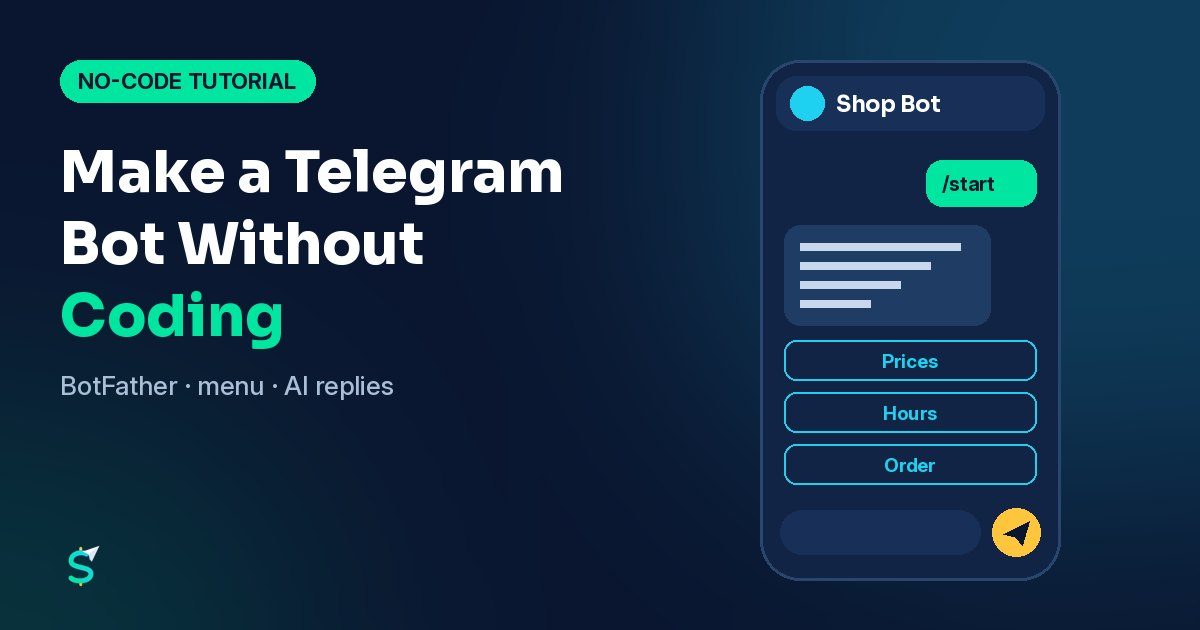
Here's how to make a Telegram bot without coding: open Telegram, message @BotFather, send /newbot, pick a name and a username ending in "bot", and copy the token it gives you. That creates the bot. To make it actually reply to people, you connect that token to a no-code workflow tool (n8n is the example in this guide) where you drag in a "when a message arrives" step and a "send a reply" step. No programming language required.
One honest note up front: Telegram's own FAQ says a bot needs to be "connected to your backend server via our API", and that there's no out-of-the-box way for non-developers. No-code tools are that backend. You build the logic visually and they handle the code.
What you can build without code
A Telegram bot is a special Telegram account run by software. Without writing code you can realistically build:
- An FAQ bot for a shop, clinic or restaurant: hours, prices, location, menu.
- An order or booking bot that asks a few questions and sends the answers to you or to a Google Sheet.
- A lead catcher that collects a name and what the customer needs.
- An AI assistant bot that answers questions using an AI model plus the business's own info.
- A channel helper that posts announcements or welcome messages.
If you want the business side of this (who buys these and how to pitch them), read our guide on how to sell AI chatbots to businesses.
Step 1: Create your bot with BotFather (5 minutes)
BotFather is Telegram's official bot for creating and managing bots. These steps follow Telegram's bot features documentation.
- In Telegram, search for @BotFather and tap Start.
- Send
/newbot. - Enter a name. This is what people see in chats, for example "Sunrise Bakery Orders". You can change it later.
- Enter a username. Telegram's rules: 5–32 characters, Latin letters, numbers and underscores only, and it must end in "bot" (like
sunrise_bakery_bot). The username can't be changed later, so choose carefully. - BotFather replies with a token, a long string of numbers and letters.
Treat the token like a password. Telegram warns that anyone with it can control your bot. Don't paste it in group chats or screenshots. If it leaks, revoke it in @BotFather and generate a new one.
Your bot now exists. Search its username in Telegram and you'll find it, but it won't reply yet.
Step 2: Set up the profile and menu
A bot that explains itself gets far more use. In @BotFather, send /mybots, pick your bot, and use these commands (all documented by Telegram):
| Command | What it sets | Limit |
|---|---|---|
/setdescription |
The "What can this bot do?" text people see before they press Start | up to 512 characters |
/setabouttext |
Short bio on the bot's profile, also sent when someone shares the bot | up to 120 characters |
/setuserpic |
The profile picture | — |
/setcommands |
The command list people see when they type / |
— |
Good starter commands for a small business bot:
start - Main menu
prices - Price list
hours - Opening hours
order - Place an order
contact - Talk to a person
Telegram shows these in the menu button next to the message field, so customers can tap instead of type.
Step 3: Choose a no-code "brain" for your bot
The bot account is just the mouth. Something has to read each message and decide the reply. You have three broad options:
- No-code bot builders: hosted services built only for chatbots. Easiest, but your bot lives on their platform and many charge monthly once you grow. Check each one's pricing page before you commit.
- Workflow automation tools like n8n: more flexible, because the same workflow can save orders to a sheet, email you, or call an AI model.
- Hiring someone for a custom bot if you need payments, a database or an admin panel.
This guide uses n8n because it's documented in detail, has dedicated Telegram steps, and offers a self-hosted Community edition (you can also use n8n's hosted cloud plans; check their pricing page for current costs). If you're comparing automation tools in general, see our roundup of AI automation tools for small business.
Step 4: Build a simple reply bot in n8n
Here's the workflow, using n8n's Telegram Trigger and Telegram nodes.
- Add your credentials. In n8n, create a Telegram credential and paste the bot token from BotFather. n8n's Telegram credentials page shows this exact step.
- Add a Telegram Trigger. Choose the Message event so the workflow runs every time someone sends your bot a message.
- Add a Switch (or IF) step. Route by the message text:
/pricesgoes one way,/hoursanother, anything else a third way. - Add a Telegram node on each branch with the operation to send a message. Reply to the same chat the message came from, with your answer text.
- Activate the workflow and message your bot from your phone.
Common snag: Telegram delivers messages to your workflow by calling a web address, and Telegram's Bot API sends those as HTTPS requests. n8n's troubleshooting page explains the "An HTTPS URL must be provided for webhook" error: if you self-host, your n8n address must be public and use HTTPS. n8n's hosted cloud handles this for you.
Step 5: Add AI answers (optional)
To let the bot answer free-form questions ("do you deliver to the airport?"), replace the "anything else" branch with n8n's AI Agent node connected to an AI model of your choice. Give it a short system instruction:
You are the assistant for Sunrise Bakery. Answer only from this info:
Hours: ... Prices: ... Delivery areas: ...
If you don't know, say so and offer to pass the message to the owner.
Keep replies under 60 words.
Two rules that keep AI bots out of trouble:
- Ground it in real business info, and tell it to admit when it doesn't know. Invented prices or promises cause real problems with customers.
- Keep a human handoff. Forward anything about complaints, refunds or orders to the owner.
AI models usually bill per use through their own API, so check the provider's pricing before you switch it on for a busy bot. New to the idea? Our explainer on what an AI agent is covers how these "agent" steps decide what to do.
Telegram limits to know before you launch
From Telegram's Bots FAQ:
- Bots can message their users at no cost, but within limits.
- In a single chat: avoid sending more than about one message per second.
- In a group: no more than 20 messages per minute.
- Bulk messages: about 30 messages per second, unless you enable paid broadcasts (which have their own requirements).
For an FAQ or booking bot these limits are generous. They matter if you plan to blast announcements to thousands of users.
Launch checklist
- Name, username, description, about text and picture set in @BotFather
- Command menu set with
/setcommands - Every command answers correctly from your phone
- Unknown messages get a helpful reply, not silence
- A way to reach a human is in the menu
- Token stored only in your workflow tool's credentials
- Bot link (
t.me/yourbot) added to your Instagram bio, website and receipts
Want to see more no-code AI builds in action? Follow AI Money Pilot on YouTube.
FAQ
Can I really make a Telegram bot without coding?
Yes. Creating the bot in @BotFather needs no code at all. To make it reply, you connect its token to a no-code bot builder or a visual workflow tool such as n8n, which does the programming part for you.
Is making a Telegram bot free?
Creating a bot in @BotFather costs nothing, and Telegram's FAQ says bots can message their users at no cost within its rate limits. The tool that runs your bot's logic may be free or paid depending on the plan, and AI models usually charge per use.
Can I change my bot's username later?
No. Telegram's documentation says the username can't be changed after creation, though the display name can. Pick the username carefully.
What if my bot token leaks?
Revoke it in @BotFather and generate a new one right away, then update the token in your workflow tool. Anyone with the old token could control your bot.
Can a Telegram bot answer with AI?
Yes. In a workflow tool like n8n you can pass incoming messages to an AI step and send its answer back through Telegram. Give it your business info, limit it to that info, and keep a human handoff for anything sensitive.
Sources
- Telegram: Bot Features (BotFather, usernames, descriptions, commands, menu button)
- Telegram: Bots FAQ (backend requirement, message limits)
- Telegram: From BotFather to 'Hello World' (token safety)
- Telegram Bot API: setWebhook
- n8n Docs: Telegram Trigger node
- n8n Docs: Telegram Trigger common issues
- n8n Docs: Telegram node
- n8n Docs: Telegram credentials
- n8n Docs: AI Agent node
- n8n Docs: Community edition features